> ## Documentation Index
> Fetch the complete documentation index at: https://mrge.mintlify.site/llms.txt
> Use this file to discover all available pages before exploring further.
# Overview
> Catch bugs before they reach production and accelerate code‑review cycles.
cubic's AI reviewer delivers actionable feedback seconds after you open a pull request.
[Enable cubic on your repository](/ai-review/setup)
## Why modern teams choose cubic
* **Ship faster** – shorten review‑to‑merge time by up to 30 percent, letting your team focus on features instead of style nits.
* **Prevent production incidents** – surfaces regressions and edge-case failures before they reach customers, reducing outages and post-mortems.
* **Context-aware analysis** – examines your entire codebase and past merges to avoid noisy, one-size-fits-all warnings.
* **Actionable diff suggestions** – inline fixes you can apply with a single click.
* **Learns from your feedback** – replies or approvals adapt future reviews for the whole team.
* **Works out of the box** – zero configuration required; extend later with custom rules.
cubic runs in an isolated container and never stores source code. See our AI security and privacy documentation.
## Key features
1. **Automated code reviews**
* Scans pull requests for logic errors, style inconsistencies and potential vulnerabilities.
* Adds structured comments and suggestions directly in the pull request.
2. **Codebase awareness**
* Detects the libraries and frameworks in your repository, including version numbers.
* References existing patterns or utilities when proposing improvements.
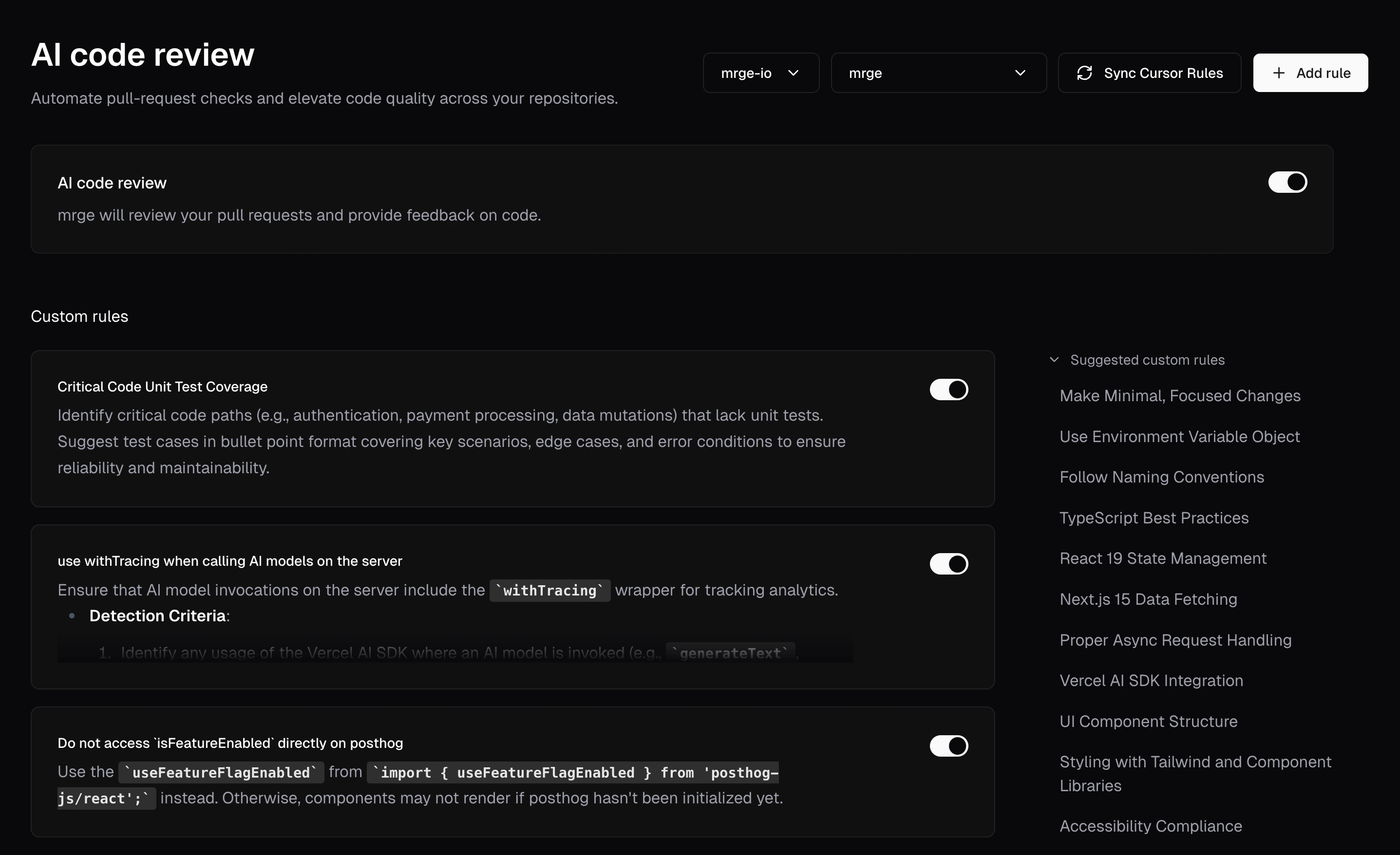
3. **Custom rules**
* Enforce domain‑specific guidelines or internal best practices.
* Violations are flagged automatically based on your configured rules.
4. **Adaptive feedback**
* Learns from previous merges, review comments and dismissals.
* Reduces false positives over time and tailors advice to your codebase.
## How it works
Turn on AI review in your repository settings.
cubic analyzes the changed files immediately after the pull request is opened.
Inline comments highlight potential issues or recommended improvements.
Any configured rules are evaluated and violations are noted.
Reply to an AI comment to refine future reviews.
Address the feedback, push additional commits or merge when ready.
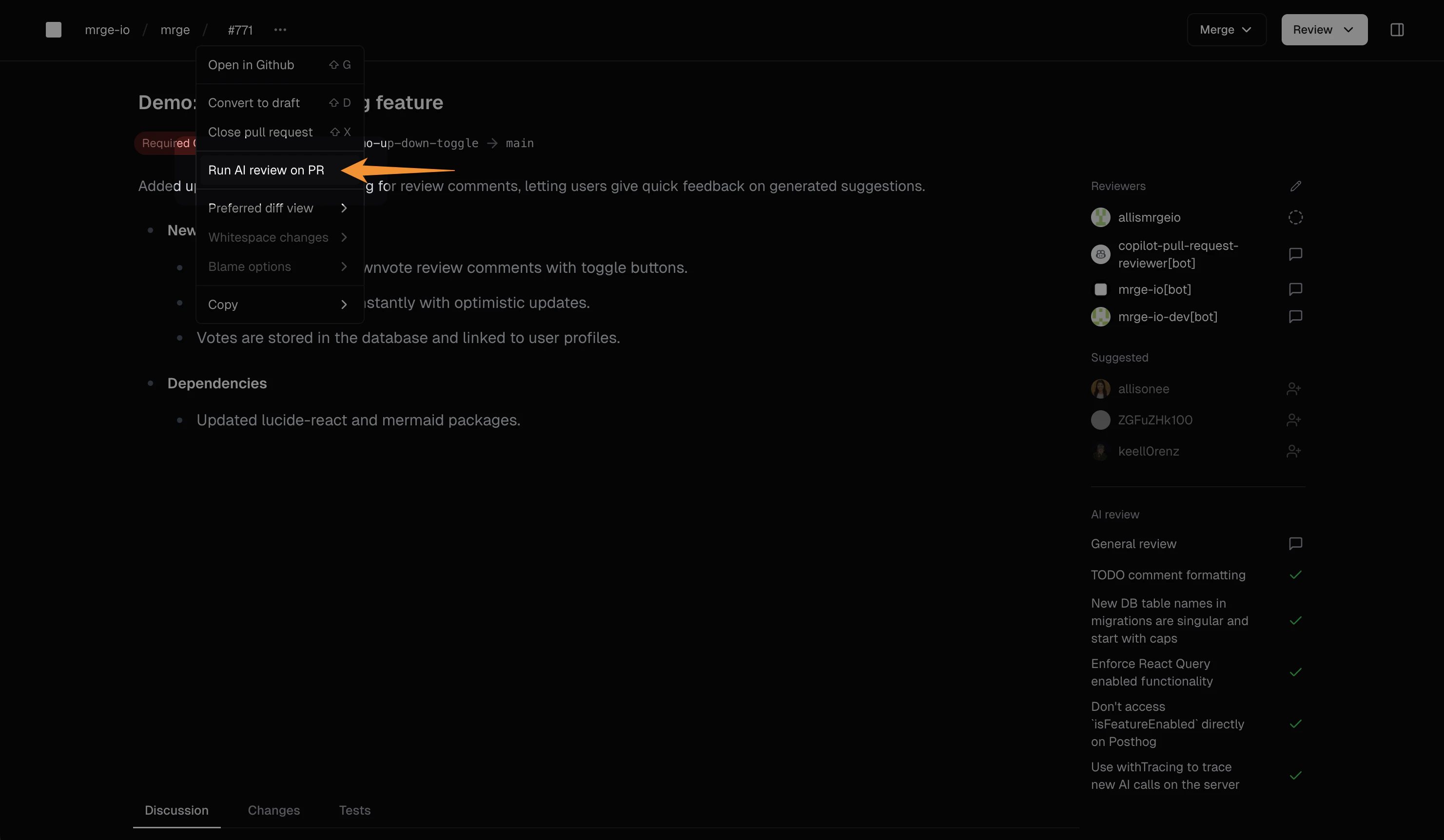
## Manually trigger a new review
You can run the AI review again at any time:
* Select **Run AI review** from the pull‑request action menu.
* Or click the circular arrow icon on the right‑hand toolbar.
* Or tag **@cubic-dev-ai** in any PR and the AI will automatically run a new review and confirm it's processing.
## Next steps
* **[Create custom rules](/ai-review/custom-rules)** – tailor the reviewer to your guidelines.
* **[AI review settings](/ai-review/ai-review-settings)** – configure library versions, ignore patterns and more.
* **[Providing feedback](/ai-review/feedback)** – fine‑tune the AI by responding to its comments.
 ## Next steps
* **[Create custom rules](/ai-review/custom-rules)** – tailor the reviewer to your guidelines.
* **[AI review settings](/ai-review/ai-review-settings)** – configure library versions, ignore patterns and more.
* **[Providing feedback](/ai-review/feedback)** – fine‑tune the AI by responding to its comments.
## Next steps
* **[Create custom rules](/ai-review/custom-rules)** – tailor the reviewer to your guidelines.
* **[AI review settings](/ai-review/ai-review-settings)** – configure library versions, ignore patterns and more.
* **[Providing feedback](/ai-review/feedback)** – fine‑tune the AI by responding to its comments.