> ## Documentation Index
> Fetch the complete documentation index at: https://mrge.mintlify.site/llms.txt
> Use this file to discover all available pages before exploring further.
# Automated PR descriptions
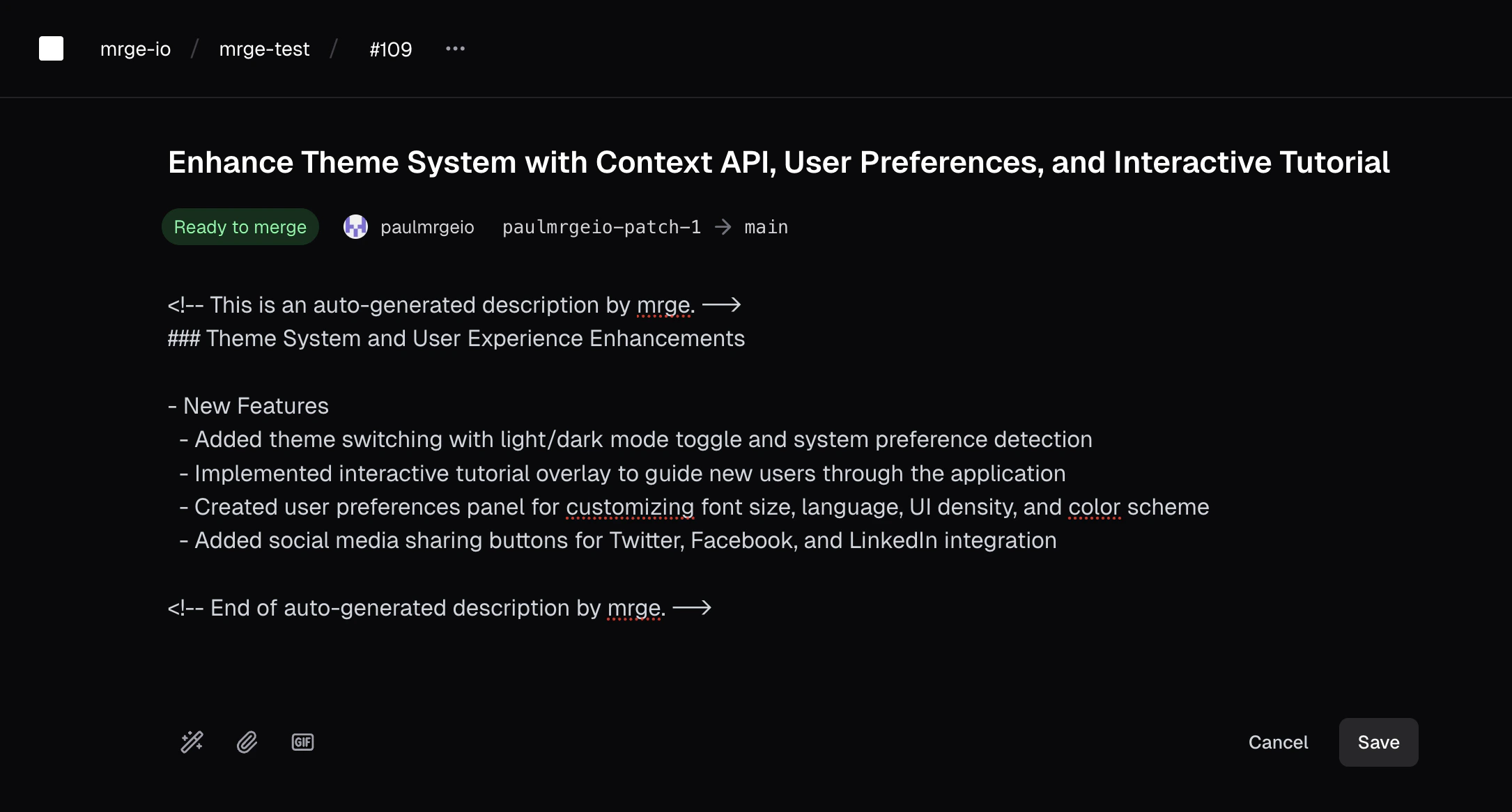
cubic helps your team spend less time writing PR descriptions automatically by generating clear, concise summaries.
 ## Auto-generate PR descriptions
AI-generated PR descriptions summarize changes clearly, helping reviewers quickly understand the context and impact of your pull requests.
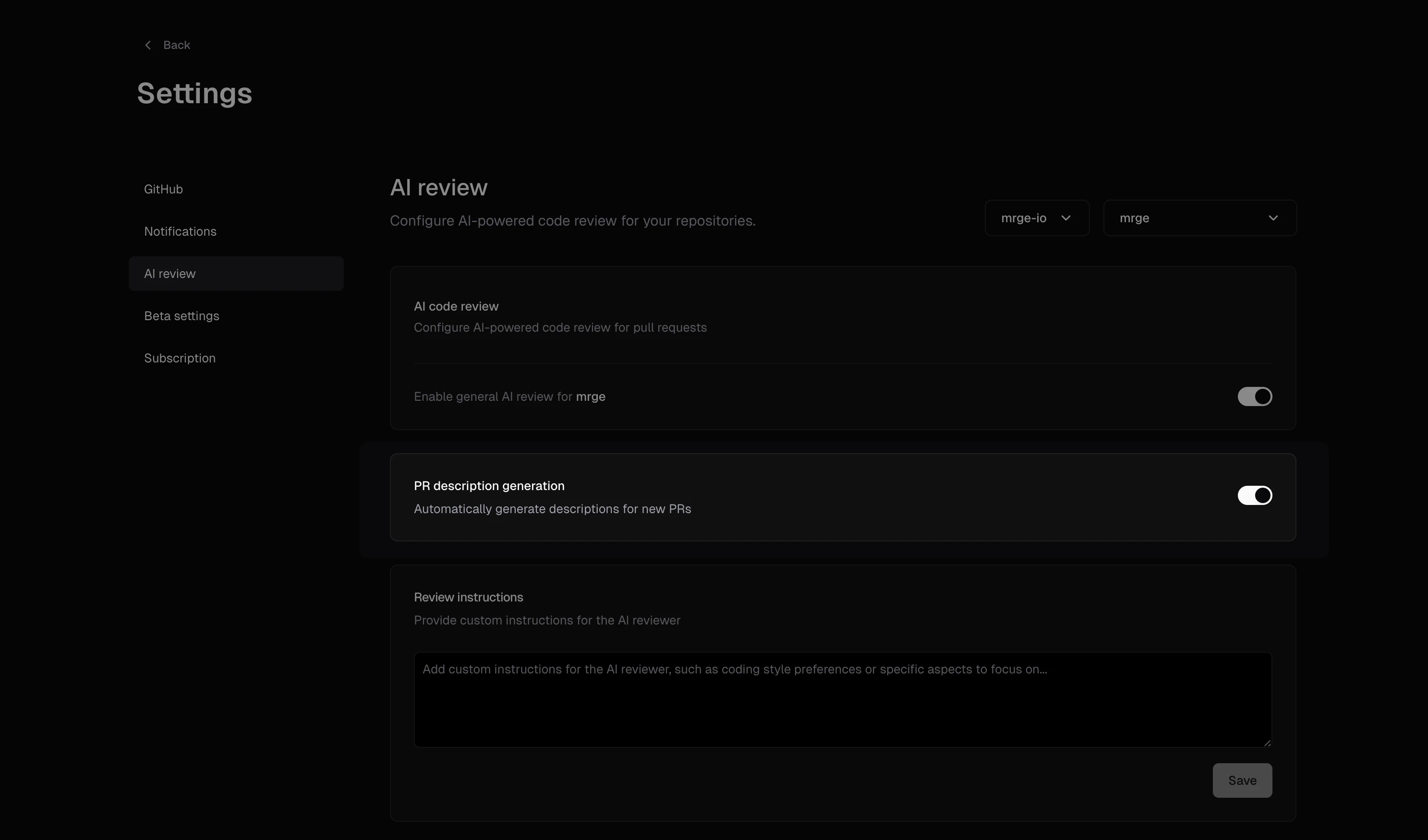
By default, cubic generates PR descriptions automatically whenever a new pull request is opened, provided that the setting is enabled for your repository.
To enable or disable auto-generated descriptions:
1. Navigate to the AI review settings for your repository
2. Toggle **AI-generated PR descriptions** on or off
## Auto-generate PR descriptions
AI-generated PR descriptions summarize changes clearly, helping reviewers quickly understand the context and impact of your pull requests.
By default, cubic generates PR descriptions automatically whenever a new pull request is opened, provided that the setting is enabled for your repository.
To enable or disable auto-generated descriptions:
1. Navigate to the AI review settings for your repository
2. Toggle **AI-generated PR descriptions** on or off
 ## Manual generation
You can manually trigger AI-generated descriptions at any time:
* Click the **AI button** located in the PR description editor
When manually triggering a description:
* If existing text is present, cubic considers this context and enhances it
* If the description field is empty, cubic creates a comprehensive summary from scratch
## Manual generation
You can manually trigger AI-generated descriptions at any time:
* Click the **AI button** located in the PR description editor
When manually triggering a description:
* If existing text is present, cubic considers this context and enhances it
* If the description field is empty, cubic creates a comprehensive summary from scratch
 ## Best practices
To get the most out of AI PR descriptions:
* Include brief context or bullet points before triggering manual generation
* Clearly mention acceptance criteria or key points you'd like highlighted
This ensures AI-generated content is precisely tailored to your team's needs.
## Best practices
To get the most out of AI PR descriptions:
* Include brief context or bullet points before triggering manual generation
* Clearly mention acceptance criteria or key points you'd like highlighted
This ensures AI-generated content is precisely tailored to your team's needs.